
EP
EPMate Installer App
Energy Program

Installer experience,
simplified.

The new way to complete onsite VEU installations - right from your phone.

Geo Tagged photos

No need to worry about geo tagged photos, as our app will automatically geo tag them for you

Job management

Organise all your jobs, sites, and assessments in one place.

Easy submissions

Upload photos and submit the jobs on the go

Everything you need onsite

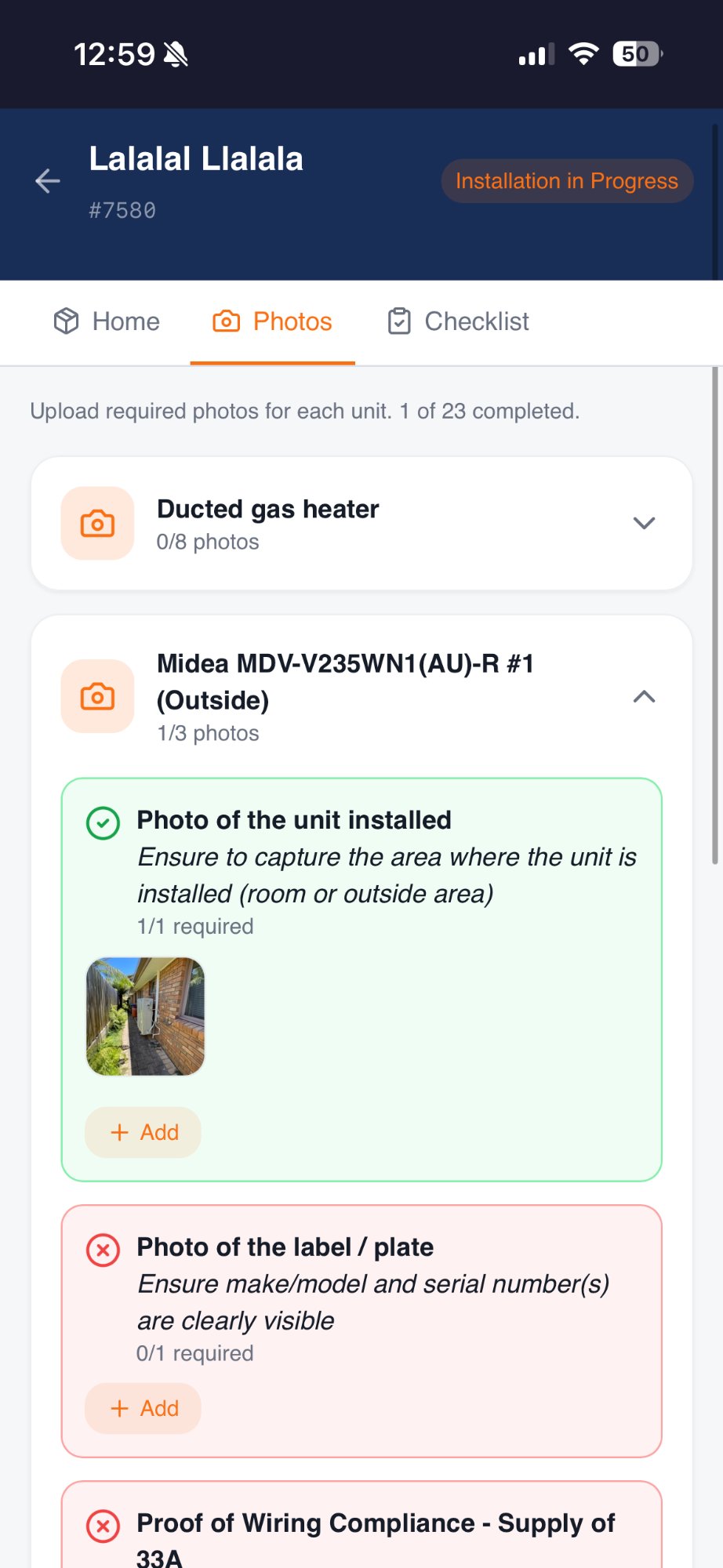
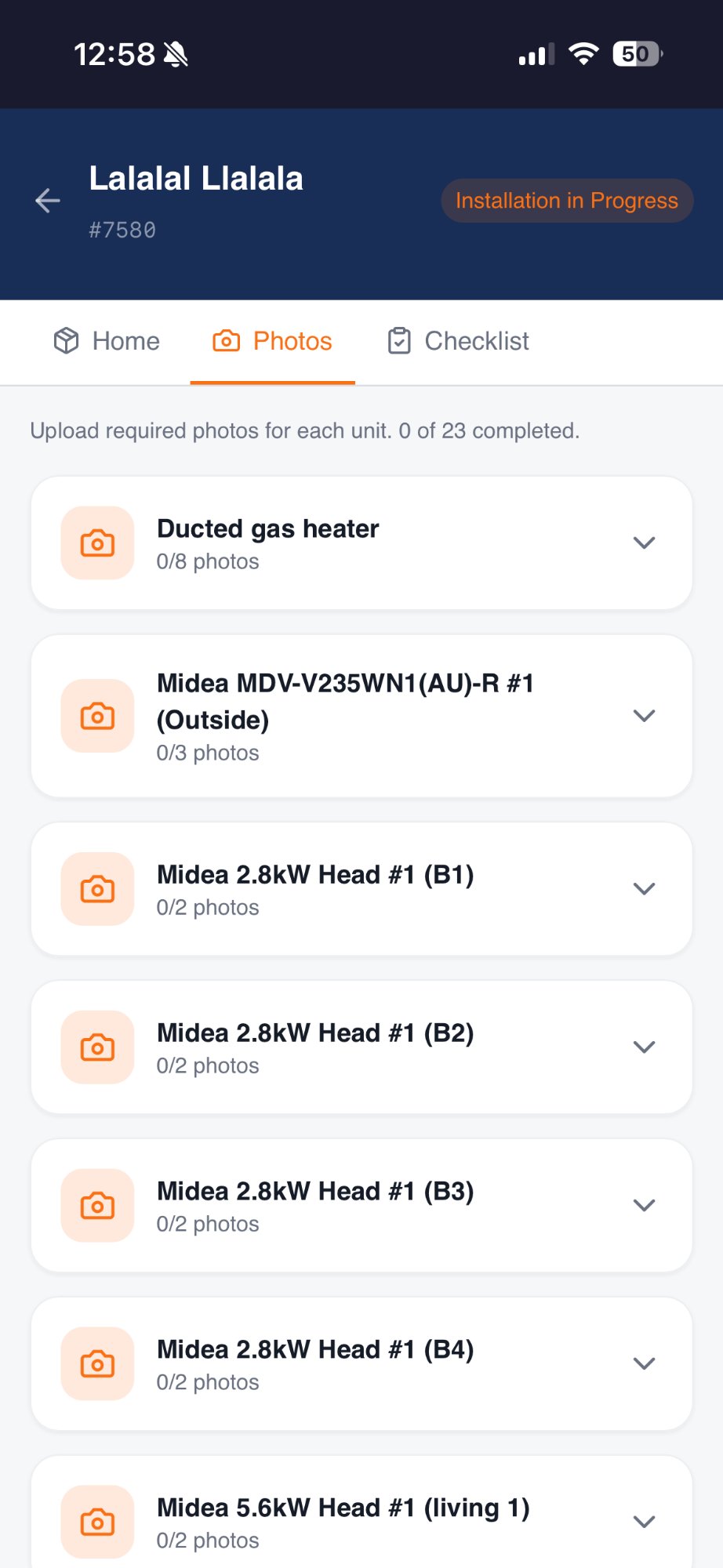
Guided photo checklists - never miss a shot

EPMate Installer App walks you through every required photo for each job. Photos are automatically geo-tagged so you never have to worry about compliance requirements.

  • Step-by-step photo requirements per job type
  • Automatic GPS geo-tagging on every upload
  • Real-time progress — see what's done and what's missing
EPMate photo checklist screen

HVAC product wizard with instant VEEC calculation

Configure baseline and upgrade areas, select from the approved product list, and get VEECs calculated on the spot - no spreadsheets, no guesswork.
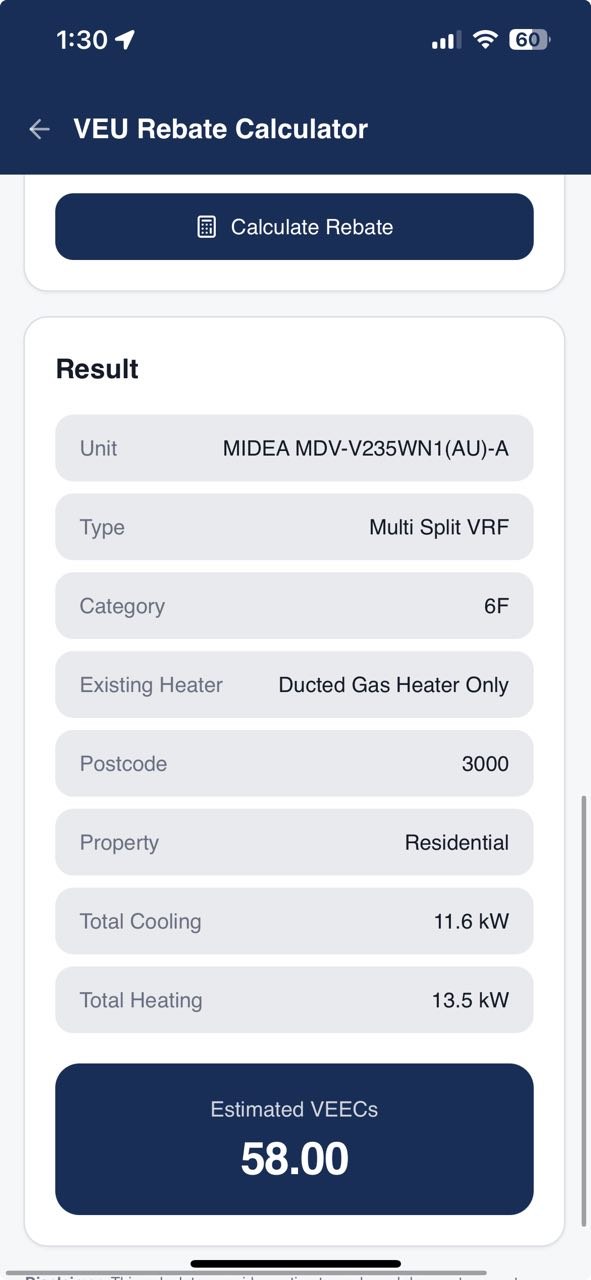
  • Ducted & non-ducted, multi-split and VRF support
  • Searchable approved product database with live activation
  • Instant VEECs & rebate summary before you leave the site
EPMate HVAC wizard screen

Every photo, automatically geo-tagged

Every photo taken through EPMate Installer App - checklists, serial numbers, before & after shots - is automatically stamped with GPS coordinates. No manual steps, no missing location data, no compliance headaches.
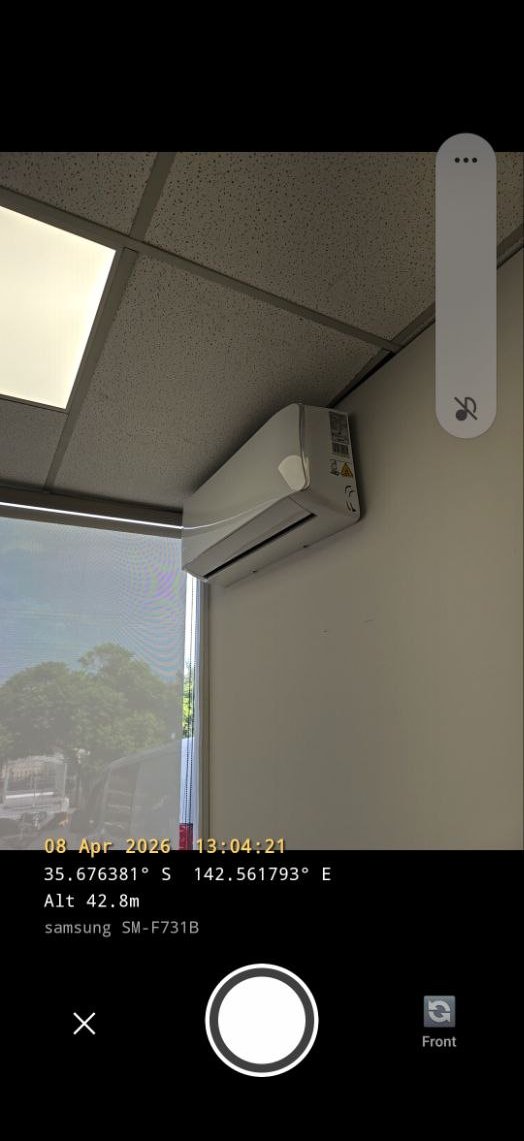
  • GPS coordinates embedded in every photo automatically
  • Proves the install happened at the right address
  • Covers checklist photos, serial numbers, and all uploads
EPMate GEO Tagging

Built-in VEU sizing guide — stay compliant on the spot

EPMate includes the official VEU room sizing guidelines so you can verify that the selected product meets the requirements before the job is complete.
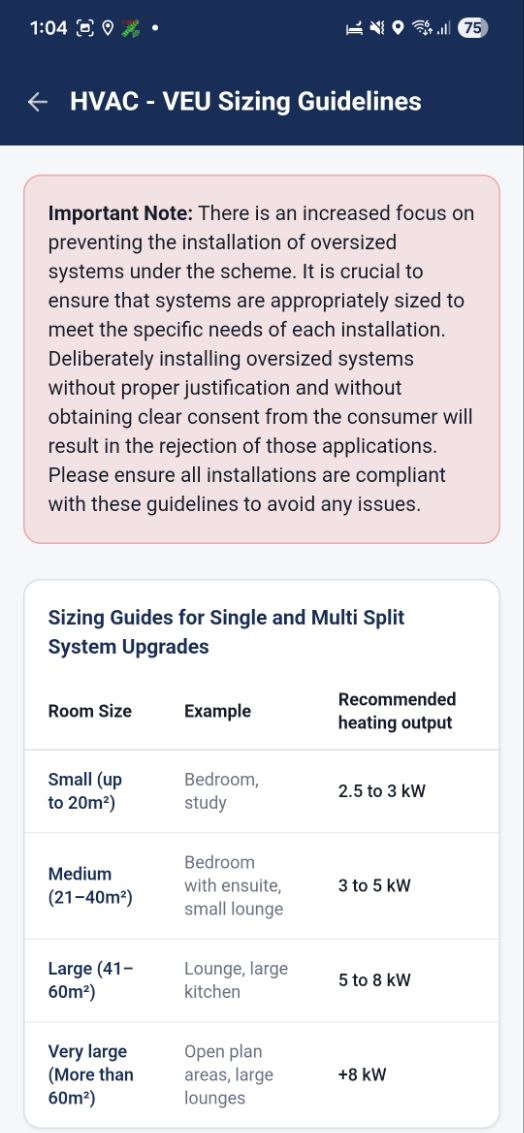
  • Room-by-room heating capacity validation
  • Instant pass / fail feedback per indoor unit
  • Covers HVAC & Hot Water product programs
EPMate VEU sizing guide screen

Electronic signatures - sign on site or send remotely

Collect customer signatures the moment the job is done. Customers can sign directly on your device or receive a secure link to sign electronically from anywhere.
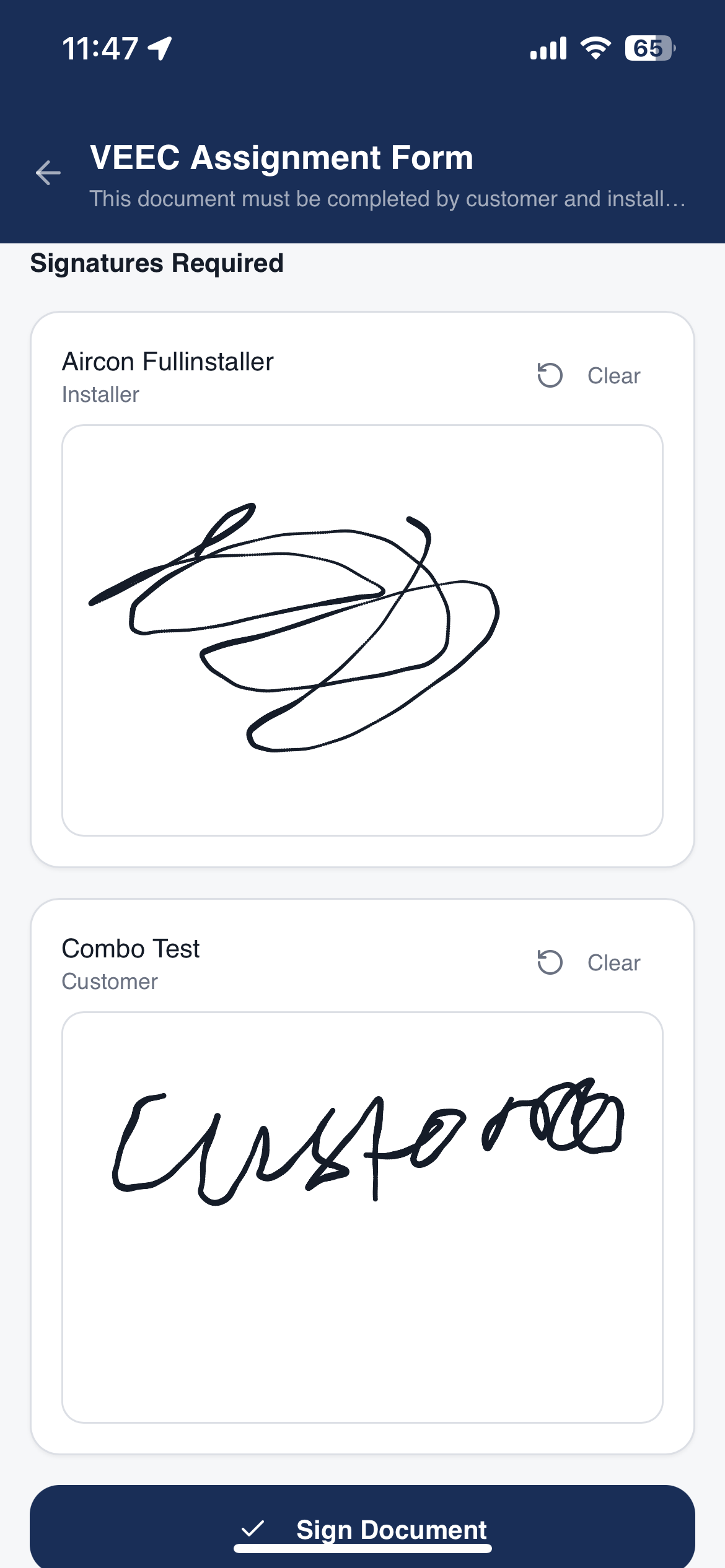
  • On-device touch signature - sign right on the spot.
  • Remote secure signing link sent via email.
  • Signatures stored securely against the job.
EPMate electronic signature screen

Ready to get started?

Download EPMate and streamline your installer experience today.